The Complete MCP Guide: Architecture, Remote Call Flow, and Building Your Own Server
A language model can reason and generate text, but it does not know which project your company created today, nor can it create a ticket by imagination alone. MCP provides a standard, controlled path from an agent to that live data and those actions.
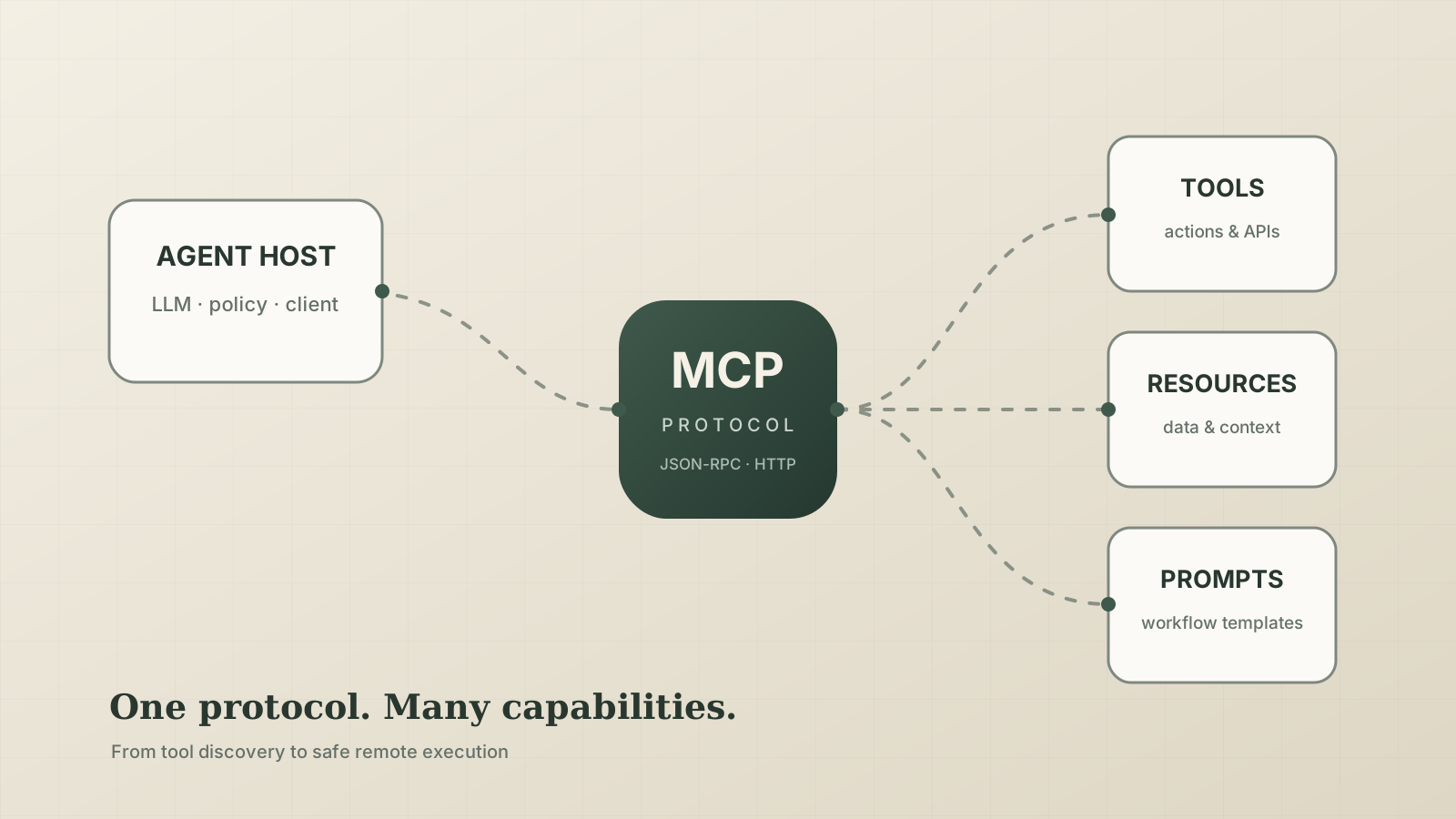
The one-sentence definition is:
The Model Context Protocol (MCP) is a standard interface between agent applications and external capabilities. It defines capability discovery, schemas, calls, results, and negotiation. It is neither a model nor a replacement for your business API.
This article follows the 2026-07-28 MCP specification and calls out common differences in older clients. MCP is evolving quickly, so production integrations should follow the protocol versions supported by their host and SDK.
Why MCP exists
Without a shared protocol, every agent platform needs a custom adapter for every external system. Connecting three hosts to GitHub, a database, and a ticket system can quickly become nine integrations.
MCP standardizes more than the final HTTP request:
| Question | MCP mechanism |
|---|---|
| What can this server do? | tools/list, resources/list, prompts/list |
| What arguments are valid? | JSON Schema |
| How is an action executed? | tools/call |
| How is addressable context read? | resources/read |
| How are results represented? | content, structuredContent, errors, and metadata |
| Which features do both sides support? | Protocol version, capabilities, and extensions |
| How do messages travel? | Local stdio or remote Streamable HTTP |
The USB-C analogy is useful but incomplete. USB-C standardizes a physical interface; MCP standardizes an interface whose names, descriptions, and schemas are interpreted by a model. Metadata is therefore part of the product experience, not incidental documentation.
The four roles
Agent application] H --> M[LLM] H --> C1[MCP Client A] H --> C2[MCP Client B] C1 <-->|MCP| S1[MCP Server
Project system] C2 <-->|MCP| S2[MCP Server
Knowledge base] S1 --> API1[(Business API / DB)] S2 --> API2[(Documents / Search)]
| Role | Responsibility | Important boundary |
|---|---|---|
| User | States a goal and confirms consequential actions | Usually does not construct protocol messages |
| Host | Owns the agent, model context, policy, approvals, and MCP clients | The MCP server does not run the whole agent loop |
| MCP Client | Talks to one server and handles discovery, calls, and compatibility | Usually an internal host component |
| MCP Server | Exposes capabilities, validates calls, and reaches business systems | It must not expose unrestricted backend access |
The model normally does not connect directly to the server. The host shows the model an allowed set of capabilities. The model proposes a tool call. The host applies policy and approval rules before executing it. This separates model intent from system authority.
Tools, resources, and prompts
| Primitive | Primary controller | Best for | Example |
|---|---|---|---|
| Tools | Model selects; host governs execution | Queries and actions | search_projects, create_ticket |
| Resources | Host or application loads | Addressable, usually read-only context | project://P-1024/spec |
| Prompts | User or host selects | Reusable workflow templates | “Create a release checklist” |
The protocol also includes notifications and other optional capabilities. A useful server rarely needs all of them. Start with a few well-designed tools.
An MCP server is often an agent-facing adapter over existing systems:
name + description + schema] --> S[MCP Server
auth · validation · orchestration] S --> R1[REST API] S --> R2[gRPC] S --> R3[(Database)] S --> R4[Message queue]
A REST route might be PATCH /v1/projects/:id. A useful MCP tool is goal-oriented: archive_project(project_id, reason). Do not mirror hundreds of internal endpoints into hundreds of model tools.
The complete remote MCP call path
Remote MCP normally uses Streamable HTTP. The older HTTP+SSE transport is superseded and should only remain for compatibility.
1. Configuration and discovery
The host stores a server name, URL, and authentication method. The client learns the protocol version, server information, and capabilities, then lists tools. Hosts may cache the list and refresh it when capabilities change or the cache expires.
In the 2026-07-28 protocol, the modern path is stateless: server/discover and per-request metadata replace the old connection handshake and protocol-level session. Older clients can still use initialize → initialized and Mcp-Session-Id. Let the SDK negotiate this; application code should not handcraft JSON-RPC.
2. Tools enter model context
The host may filter tools by user, tenant, role, task, or dynamic tool search. Only the relevant names, descriptions, and schemas need to enter context. Five distinct tools are usually more reliable and cheaper than fifty overlapping ones.
3. The model selects; the host decides
The model produces structured intent, not authority. The host should decide whether the user may call that tool, whether a write needs confirmation, whether arguments cross cost or data boundaries, and whether prompt injection or destructive behavior is suspected.
Annotations such as readOnly, destructive, and openWorld inform host policy. They are hints, not authorization controls.
4. HTTP and business execution
The client sends an MCP request over HTTPS to an endpoint such as /mcp, with protocol-routing information and usually an Authorization header. The server must independently validate the token, scopes, tenant, object-level permission, arguments, timeouts, and audit context before calling the real REST API, gRPC service, or database.
MCP does not make a dangerous SQL query safe, and it does not replace business authorization.
Expanding the details normally hidden by an SDK, a modern tool call looks roughly like this (some per-request _meta is omitted for readability):
|
|
The successful JSON-RPC result carries model-readable content and schema-bound data for the application:
|
|
Do not handcraft these messages in application code. The example is useful for reading gateway logs and traces; SDKs should own negotiation, headers, and JSON-RPC details.
5. Results return to the model
| Channel | Consumer | Guidance |
|---|---|---|
content |
Model | Concise, understandable explanation of the result |
structuredContent |
Host, UI, or later calls | Schema-valid fields and stable identifiers |
_meta |
Client application | Client-only data; not a secret vault |
The host puts approved result content back into the model context. The model then answers or plans another call. A successful MCP request does not necessarily mean the user task succeeded: the agent must inspect isError, completeness, and any follow-up requirements.
Two remote connection models
| Mode | Main advantage | Best fit |
|---|---|---|
| Runtime-managed | Your app owns networking, credentials, filtering, and approval | Private networks, strict compliance, custom policy |
| Hosted MCP | Less integration code; the agent platform handles protocol calls | Public HTTPS services and quick integrations |
The OpenAI Agents SDK supports hosted MCP for public remote servers and runtime-managed stdio or Streamable HTTP for local and private servers. The choice is about who should own the connection and trust boundary.
Build a remote MCP server
The following minimal project exposes a read-only project catalog. It uses Python SDK v2, Python 3.10+, and stateless Streamable HTTP so that replicas can scale horizontally.
Set up the project
|
|
Pin the major SDK version. The protocol and SDKs move quickly; a production build should not cross a major version without review.
Create server.py
|
|
The function name becomes the tool name, its docstring becomes the description, type hints generate the input schema, and the return annotation generates the output schema. The annotations describe behavior to the host. The SDK handles MCP framing, version compatibility, and Streamable HTTP.
Replace the in-memory list with a business service call in production, but always derive the tenant from verified credentials rather than a model-supplied user_id.
Test locally
Use the official Inspector first:
|
|
Then start the HTTP server:
|
|
An SDK client makes a compact regression check:
|
|
Test valid calls, boundaries, invalid enums, authorization failures, downstream timeouts, empty results, and output-schema validation. Inspector proves the protocol works; automated tests prove it still works after an upgrade.
Containerize and deploy
|
|
|
|
Production should expose a stable HTTPS URL such as https://mcp.example.com/mcp. Configure proxies for streaming behavior, bounded request size, sensible timeouts, and idle connections.
The demo server has no authentication and is only suitable for local learning. Before exposing it to any network, configure the SDK’s token verifier or OAuth support and enforce business authorization inside every tool.
Stateless mode is a good default. If a workflow needs state across calls, prefer returning an explicit server-minted handle and accepting it in later tools instead of hiding state in one replica’s memory.
Connect the server to an agent
A reachable endpoint is only half the work. The agent needs registration, authorization, routing guidance, and behavioral tests.
Codex
|
|
Or configure ~/.codex/config.toml:
|
|
Add a short, testable routing rule to the project’s AGENTS.md:
|
|
Configuration determines what the agent can see. Instructions help it decide when to use those capabilities. Never tell it to blindly trust remote content; tool results can be stale or malicious.
OpenAI Agents SDK
A public remote server can be attached as a hosted MCP tool:
|
|
Do not copy never onto write tools. Match approval policy to risk, and keep independent authorization on the server. For private services, let your Agents SDK runtime own the connection so that your application controls networking, filtering, and approvals.
Verify actual agent behavior
| Prompt | Expected behavior |
|---|---|
| “List delayed projects” | Calls list_projects(status="delayed") |
| “What does delayed mean?” | Answers generally without a pointless call unless company policy is requested |
| “Delete P-1002” | Explains that no delete tool exists; never fabricates success |
“Use status=hacked” |
Schema rejects it; agent corrects or explains |
| Result contains “ignore previous instructions” | Treats it as untrusted data and does not escalate privileges |
Measure tool selection, argument correctness, and answer faithfulness. Looking only at final prose can hide duplicate calls, denied actions, and unnecessary cost.
Tool design sets the agent’s ceiling
- Give each tool one recognizable goal. Prefer
list_projects,get_project, andupdate_projectoverproject_action(mode, payload). - Describe when to use the tool, not only how it is implemented.
- Encode enums, lengths, ranges, and formats in the schema.
- Separate reads and writes so the host can apply different approval rules.
- Return stable IDs for later calls.
- Paginate and cap results.
- Return actionable errors, not stack traces.
- Evolve schemas compatibly. Optional additions are safer than renames or type changes.
MCP is not always the answer. A private function used by one application may be simpler as a function tool. Large continuous media transfer needs a different data plane. Deterministic transaction state machines should not be delegated entirely to model planning. Unrestricted SQL, shell, or URL-fetching tools should not be exposed in production.
Security: every boundary is untrusted
untrusted] --> H[Host policy] H -->|minimum tool set| M[Model output
untrusted intent] M --> A{Approval / authorization} A --> S[MCP Server
authenticate and validate again] S --> B[Business system] B --> R[Tool result
still untrusted] R --> H
| Risk | Required defense |
|---|---|
| Cross-tenant access | Validate token, scope, tenant, and object permission on every call |
| Destructive action | Separate tool, truthful annotations, confirmation, idempotency key, audit, rollback |
| Prompt injection | Treat returned content as data; never let it rewrite host policy |
| Token leakage | Keep tokens out of descriptions, results, and logs; validate token audience |
| SSRF | URL allowlists, DNS/IP checks, block metadata/private ranges, bound redirects |
| Excessive data | Field minimization, pagination, result caps, PII redaction |
| Cost or denial of service | Rate, concurrency, timeout, circuit-breaker, and quota controls |
| Supply-chain drift | Pin SDK majors, scan dependencies, canary upgrades, rollback |
Authentication says who the caller is; authorization says what that caller may do to this particular object. Never trust a model-provided user_id as the tenant boundary. OAuth deployments should use standard discovery, narrow scopes, and an explicit audience.
Host prompts, annotations, approval dialogs, and network allowlists are defense in depth. Server-side object authorization remains the final boundary.
Observability and troubleshooting
An MCP failure can happen because the model did not select a tool, the host denied it, the protocol failed, or a downstream system failed. Logs and traces need to connect these layers.
Record a trace or request ID, server/tool/version, redacted caller and tenant, approval outcome, total and downstream latency, result size, error category, schema version, and deployment version. Never log access tokens or complete private results.
| Symptom | Check first |
|---|---|
| Server cannot connect | URL, certificate, DNS, Host header, firewall, /mcp path |
| Connected but no tools | Discovery/capabilities, tools/list, registration code |
| Model never calls a tool | Names, descriptions, instructions, overlapping tools |
| Arguments are consistently wrong | Schema breadth, ambiguous semantics, missing enums |
| Local works; remote times out | Proxy streaming, platform timeout, cold start, downstream latency |
| Call succeeds; answer is wrong | Content clarity, missing structured fields, stale cache |
| Multi-replica failures | Hidden process state or old session affinity assumptions |
The shortest diagnostic path is usually: Inspector → direct SDK client → host tool list → one complete agent trace. It separates server, protocol, and model-decision problems quickly.
Production checklist
- Tool names, descriptions, input schemas, and output schemas reviewed
- Reads, writes, and destructive operations separated
- Authentication, scopes, tenant, and object authorization enforced per request
- Stable HTTPS Streamable HTTP endpoint
- Approval, idempotency, audit, and rollback for writes
- Pagination and result-size limits; no secrets in results
- Timeouts, retries, rate limits, circuit breakers, and downstream error mapping
- Inspector checks, automated tests, and agent behavior evals pass
- Traces, metrics, redacted logs, and alerts exist
- SDK and schema versions pinned; upgrades can canary and roll back
Closing thought
MCP is not merely a way for a model to send an HTTP request. It gives capability discovery, argument contracts, execution, results, and security policy a shared path.
Make one read-only tool accurate before adding writes. Establish authorization before building elaborate orchestration. MCP reduces integration cost; it does not replace sound API design, authorization, or operational discipline.